Guides » Main » Guides » Clans
Clans
client guide1. Establish a Clan
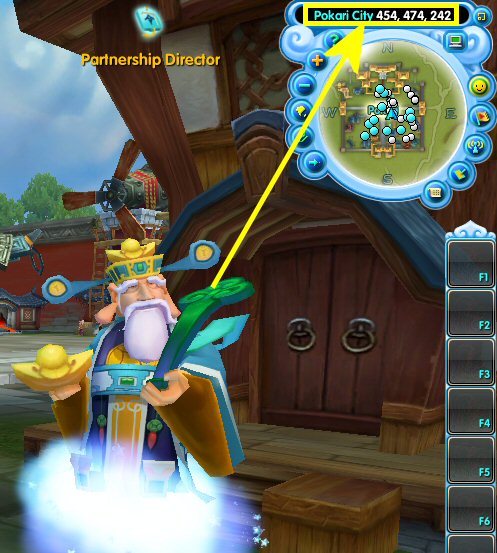
1. Talk to the &pos:(455,242,473,1)Partnership Director(455.473)& in Pokari City, and select Establish a Clan.
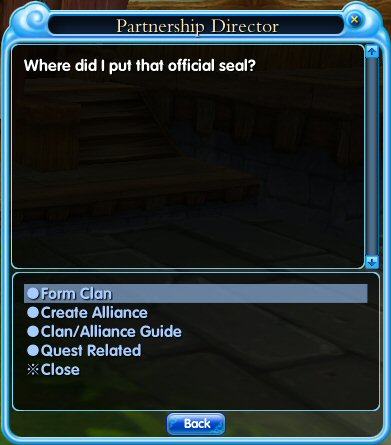
Select Form Clan from the Partnership Director's dialogue menu to create a clan.
2. Input a name for your Clan.
3. Pay a fee of 5 Gold to establish your clan.
4. The user that establishes the Clan will be its Chief. A Clan can have 15 members at most.
2. How to Add Members to Your Clan
There are two ways to invite other players to your Clan:
1.Select a player and right-click on her/his avatar, then click on the Invite to Clan button in the menu. An invitation will be sent to the player. One must wait for the player to accept your invitation.
2.Press G to access the Clan Menu, click on the Invite button, and input the desired player's name, then click Confirm to send the invitation.
3. Clan Management


Press G to access the Clan Menu. Only the Clan Chief has the authority to access the functions below.
Invite: Invite a player to become a part of your Clan.
Banish: Banish a member from your Clan.
Change Slogan: Publish or change your Clan slogan.
Transfer: Transfer leadership to a Clan member.
Dismiss: Find the Partnership Director in Pokari City in order to dismiss your Clan.
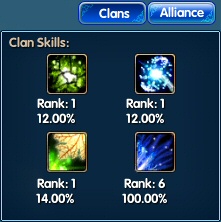
Clan Skills: Every Clan member is allowed to use Clan Skills. There are three active Clan Skills and one passive Clan Skill.

Clans